ChatGPT App Walkthrough: Peloton
Peloton was one of the earliest brands to launch an official ChatGPT App. On paper, it’s a natural fit: ChatGPT already fields plenty of questions about workouts and training plans, and Peloton has a massive catalog of classes to pull from.
We spent some time trying out the Peloton ChatGPT App to see how it’s structured, what it actually lets you do, and how it connects to Peloton’s broader business model.
Getting Started: How Peloton Appears in ChatGPT
Before you connect anything, ChatGPT will sometimes suggest the Peloton App if you ask about workout plans, fitness goals, or exercise scheduling.
When you choose to connect it, you can choose to just connect with ChatGPT, which doesn't require any Peloton account permissions, or to full log in with Peloton:
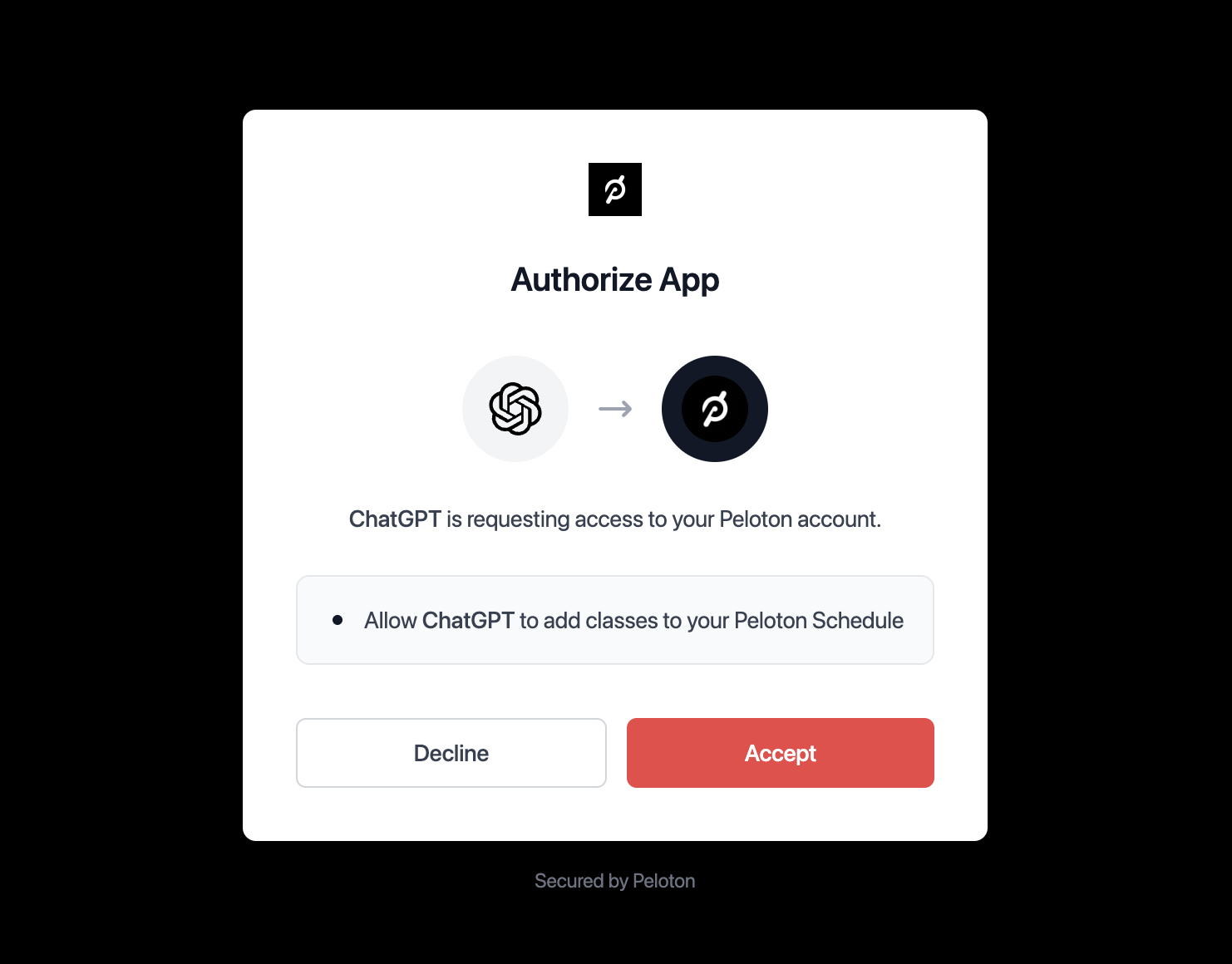
Importantly, though, you don’t need to be a paying Peloton member (or even log in) to use most of the ChatGPT App's class search and discovery features. The full linking step shown above is optional at the start.
What You Can Do with the Peloton ChatGPT App
Once connected, you can use natural language to search across more than 60,000 Peloton classes. For example:
- “Find a 30-minute yoga class with Emma.”
- “Recommend three beginner cycling workouts for recovery.”
- “Build a weekly plan with strength and running classes.”
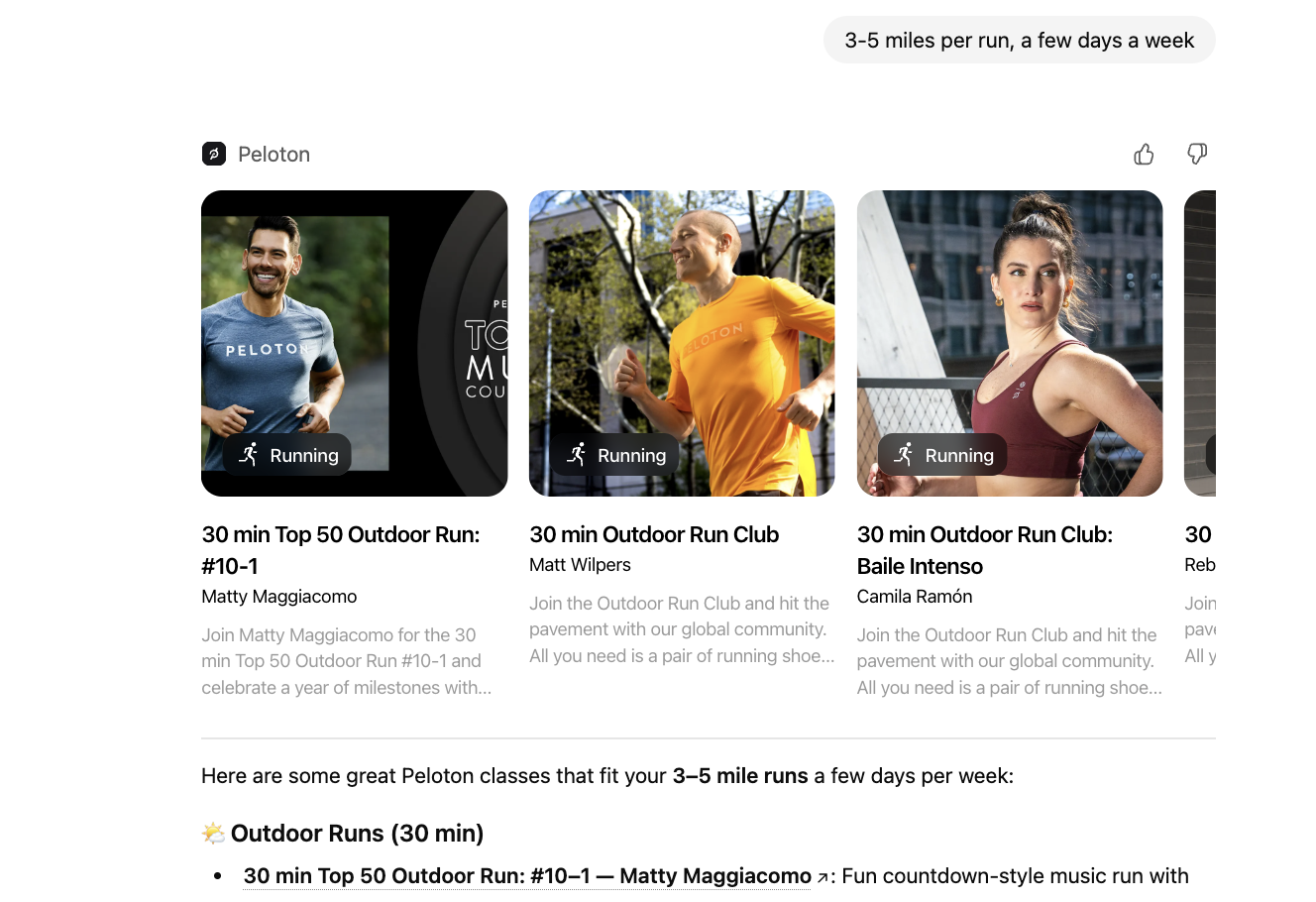
ChatGPT returns an interactive carousel of class cards with details like instructor, duration, and difficulty. Each one links directly to Peloton’s site if you want to take the class.
The responses are clear and structured:
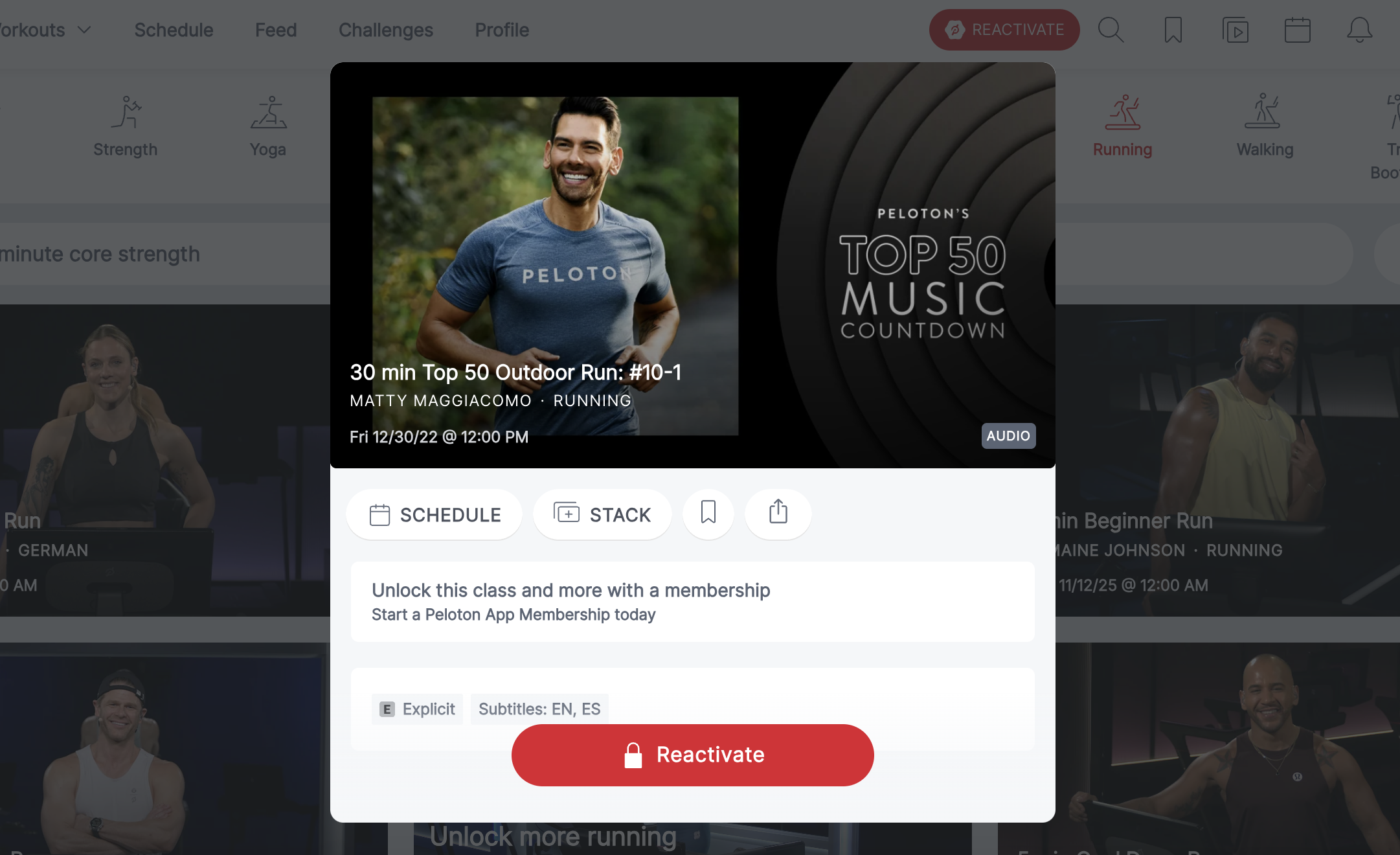
You can then open a class directly in Peloton's app or web platform. If you click through, you'll see a prompt to reactivate your membership to access the class content. That's intentional: it's how Peloton uses ChatGPT as a top-of-funnel reactivation path.
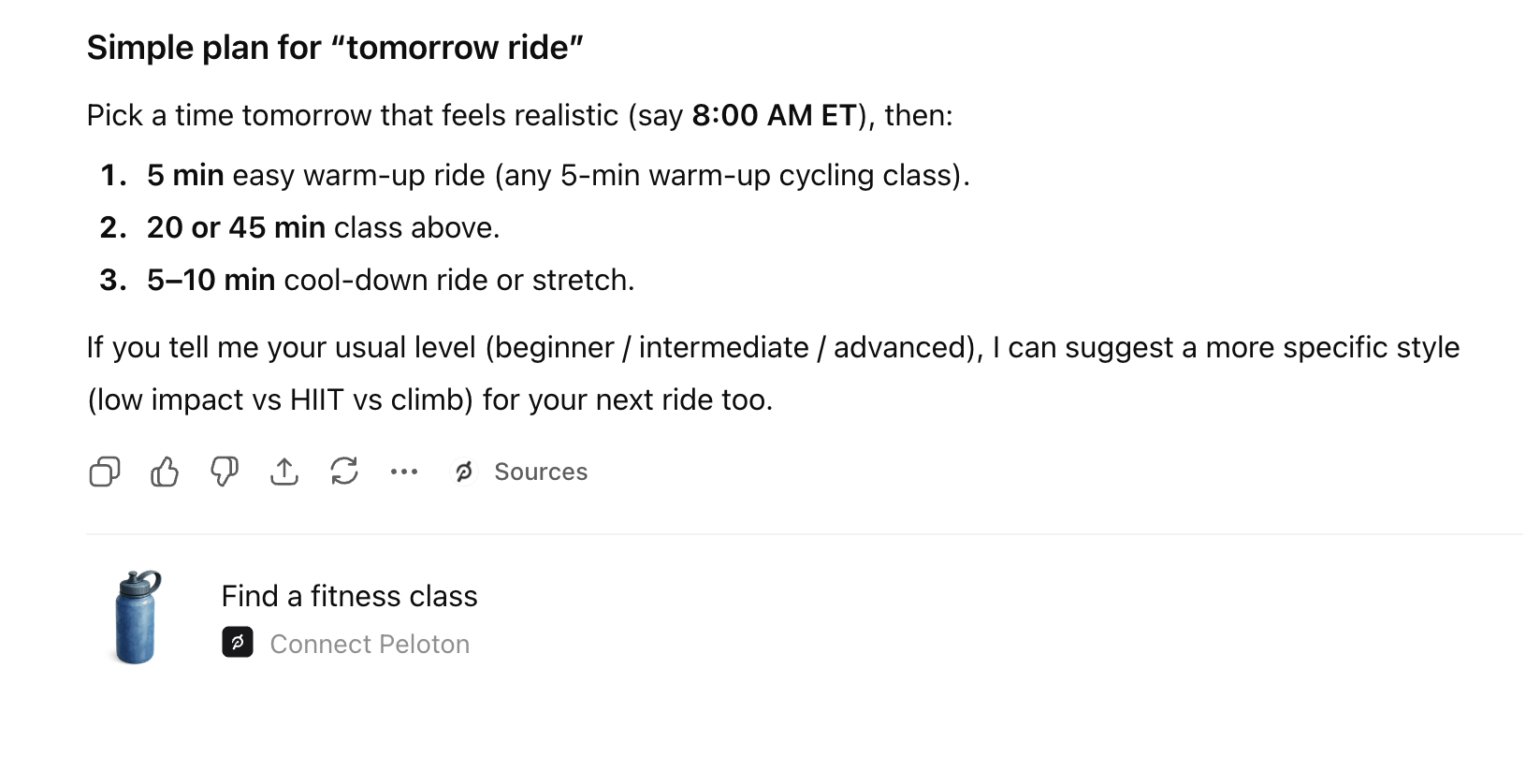
There's also a built-in "Create Training Plan" tool that lets you organize classes into a 7- or 14-day schedule, drag to reorder, and preview rest days. To add classes to your Peloton calendar, though, you'll need to log in (and then, you'll need to subscribe if you want to actually attend them):
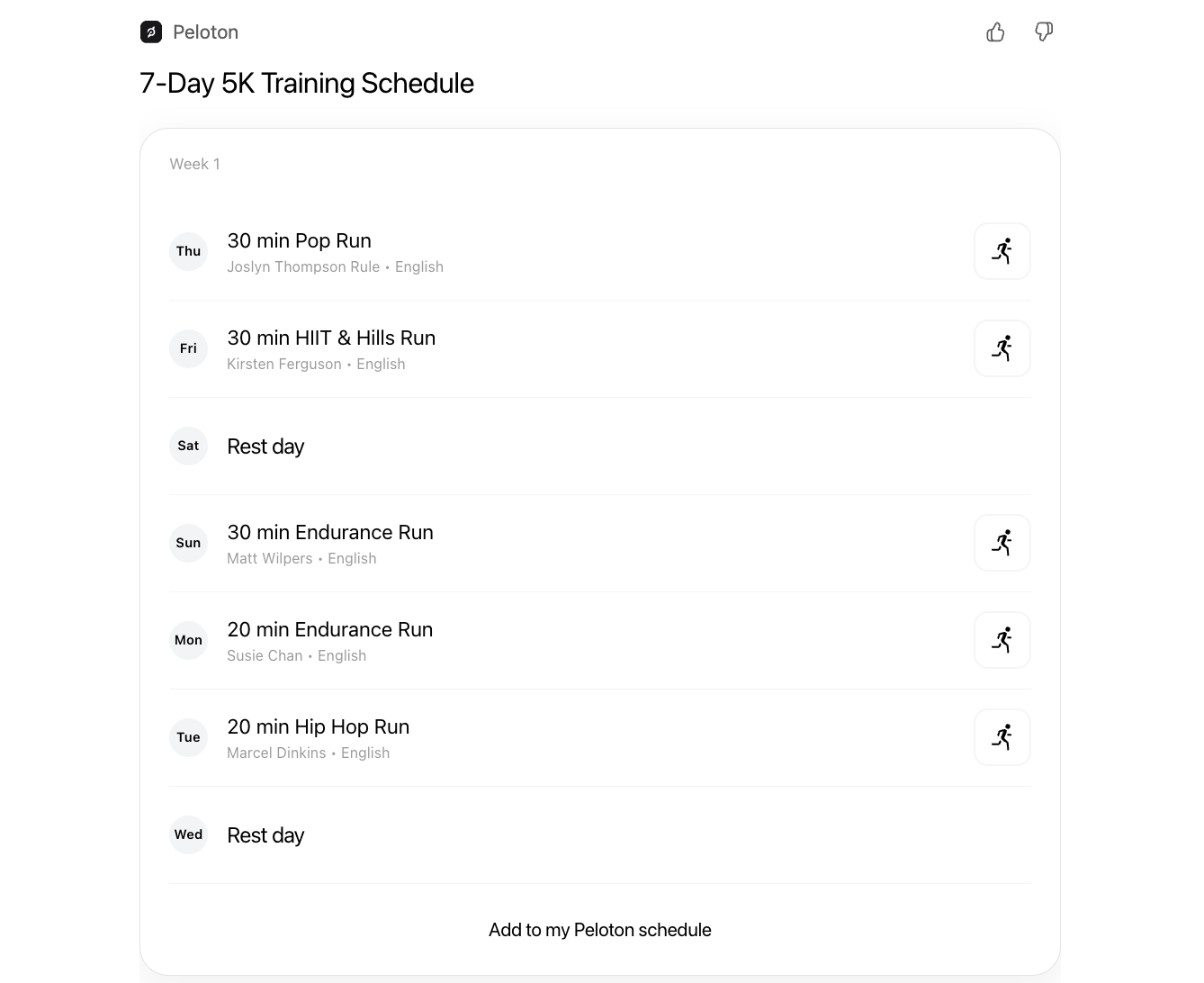
One nice feature of the scheduling tool is that users can drag classes and rest days around to change the order, directly in the ChatGPT UI.
How The Peloton ChatGPT App Works Under the Hood
The app uses four main tools behind the scenes:
search– Searches 60,000+ classes across disciplines (cycling, yoga, strength, running) with support for filters like instructor, duration, difficulty, and year. It even interprets seasonal prompts like “Halloween rides” or “summer yoga” by mapping them to specific years.fetch– Pulls detailed information about a class, including description, instructor, and required equipment.create-training-plan– Builds an interactive, visual calendar of up to 14 days of workouts. It uses class indices from the search results and lets you add rest days manually.schedule– Syncs your plan to your Peloton account calendar (requires authentication).
The structure is clean and modular: start with a search, fetch details, organize your plan, then schedule it if you’re logged in. It’s a clear example of how ChatGPT Apps can mirror an app’s product architecture while staying lightweight.
What’s Not Supported in the Peloton ChatGPT App (For Now)
The app doesn’t include playback, metrics, or real-time coaching. It’s focused entirely on class discovery and workout planning. You also can’t access historical data or analytics (like heart rate or total workouts), and it’s only available in English.
That said, the metadata hints at what could come next: historical stats (“What did I do last winter?”), personalized recommendations, or voice-based scheduling once memory and multimodal tools are more robust.
For now, though, the App is much more focused on prospective members exploring new workout classes, more than power users who already know their favorite instructors and schedules.
Where Peloton's ChatGPT App Could Go Next
The app’s current version feels like a solid prototype for a deeper integration. As ChatGPT gains longer memory and device context, Peloton could eventually tailor recommendations to your actual training history or recovery metrics.
Or, even better, integrate with your Google or Outlook Calendar ChatGPT App / Connector to schedule classes at times that actually make sense for your schedule.
Final Take
The Peloton ChatGPT App is serving a clear purpose: capturing user search intent around workout classes and exercise within ChatGPT, and trying to turn that into paying Peloton users.
This is a great case study in how to use ChatGPT for top-of-funnel engagement: give users something useful right away, but make the deeper experience just one click beyond the paywall. It will be interesting to see how the Peloton team expands their offerings over time to better serve existing members, as well.
Appendix: Full Peloton ChatGPT Actions Metadata (as of 11/16/25)
search
Search 60,000+ Peloton classes using natural language. Returns interactive carousel with class cards. Supports single queries ("30 min yoga with Emma") or multiple comma-separated queries ("marathon, meditation, recovery yoga", max 3).
Advanced features:
- Instructor matching (45+ instructors)
- Music artist search (200+ artists like "Green Day", "Beyoncé")
- Difficulty filtering (beginner/intermediate/advanced or 1-10)
- Duration matching (exact minutes)
- Discipline filtering (cycling, strength, yoga, running, walking)
- Year filtering ("2025 running", "2024 yoga")
Searches all disciplines when none specified. Only returns English-language classes.
IMPORTANT - Seasonal/Holiday Queries: When users search for seasonal terms (fall, spring, summer, winter) or holidays (Halloween, Christmas, Thanksgiving, New Year, Valentine's Day), convert them to specific years in your query. Examples: "fall cycling" → "2024 cycling", "halloween yoga" → "2024 yoga", "christmas rides" → "2024 cycling". Use current year or previous year based on context.
Each result includes an "index" field (0-60000) - use this index with fetch and create-training-plan tools. Never use slugs or construct index numbers. After search, recommend create-training-plan to organize classes into a weekly schedule.
Security schemes: "type": "noauth"
Metadata:
- Output template:
ui://widget/search-dpl_APsP.html - Invoking message: "Searching Peloton classes..."
- Invoked message: "Search completed"
- Widget accessible:
true
fetch
Get detailed view of a specific Peloton class by index. Shows hero image, instructor, description, equipment, ratings, and link to Peloton. Requires class index from search results. Use search first if you don't have an index.
Security schemes: "type": "noauth"
Metadata:
- Output template:
ui://widget/class-details-dpl_APsP.html - Invoking message: "Fetching class details..."
- Invoked message: "Class details retrieved"
- Widget accessible:
true
create-training-plan
Create interactive weekly training plan (max 14 days) with drag-and-drop class cards and rest days. Shows calendar with day labels, class details, and "Add to calendar" button.
IMPORTANT: MUST call search first to get class indices. Use index from search results for workout days. For rest days: set isRestDay=true, omit index. Each day needs ISO date (YYYY-MM-DD). Invalid indices become rest days. Never construct or guess index numbers.
Security schemes: "type": "noauth"
Metadata:
- Output template:
ui://widget/training-plan-dpl_APsP.html - Invoking message: "Building your interactive training plan..."
- Invoked message: "Training plan ready! Drag to reorder."
- Widget accessible:
true
schedule
Add classes to user's Peloton calendar. Requires authentication. Shows confirmation widget with link to https://members.onepeloton.com/yourschedule where users can view their scheduled classes.
Input: Array of index: class index from search, startTime: ISO 8601 datetime. Processes multiple classes in parallel. Returns success/failure for each. Use create-training-plan first if user wants to visualize/plan before scheduling.
Security schemes:
{
  "type": "oauth2",
  "scopes": "peloton-api.members:default"
}
Metadata:
- Output template:
ui://widget/schedule-dpl_APsP.html - Invoking message: "Adding classes to your Peloton schedule..."
- Invoked message: "Classes added to your Peloton schedule"
- Widget accessible:
true