Optimizing Your OpenAI App for Top-of-Funnel Discovery
OpenAI has started rolling out Apps within ChatGPT, including proactively suggesting them to users during relevant workflows.
Searching for flights? Consider connecting Expedia. Making a playlist? Try using Spotify. Asking for a workout plan? Peloton can help.
OpenAI Apps as a Discovery Engine
Some companies have been reluctant to build ChatGPT Apps, worried about sharing data or losing direct user engagement. But the early launch partners are showing that OpenAI Apps can serve as a powerful discovery channel while still funneling users back to their platforms.
Here’s how three companies are doing it effectively:
1. Peloton: Make a Workout Plan, Reactivate To Try
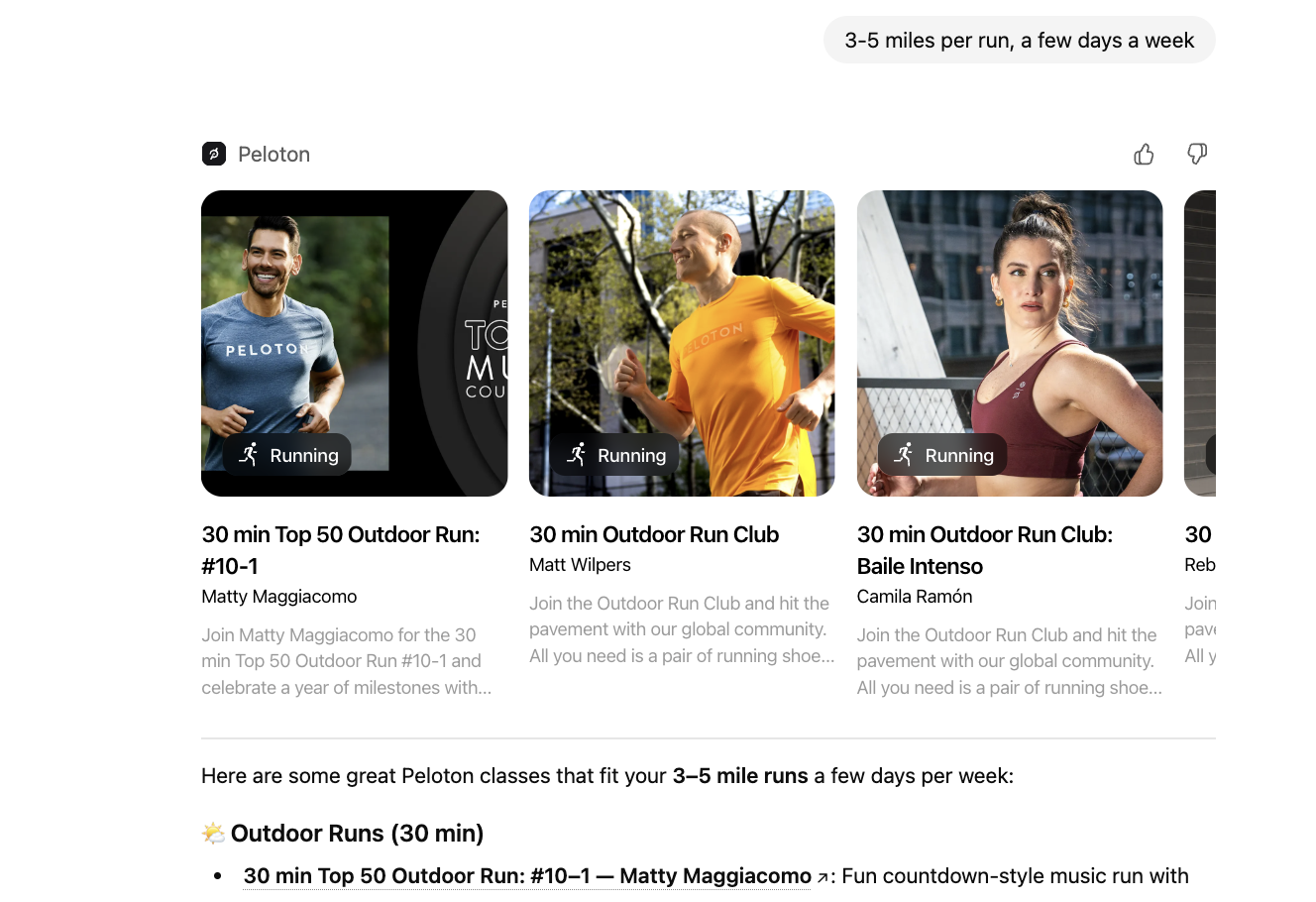
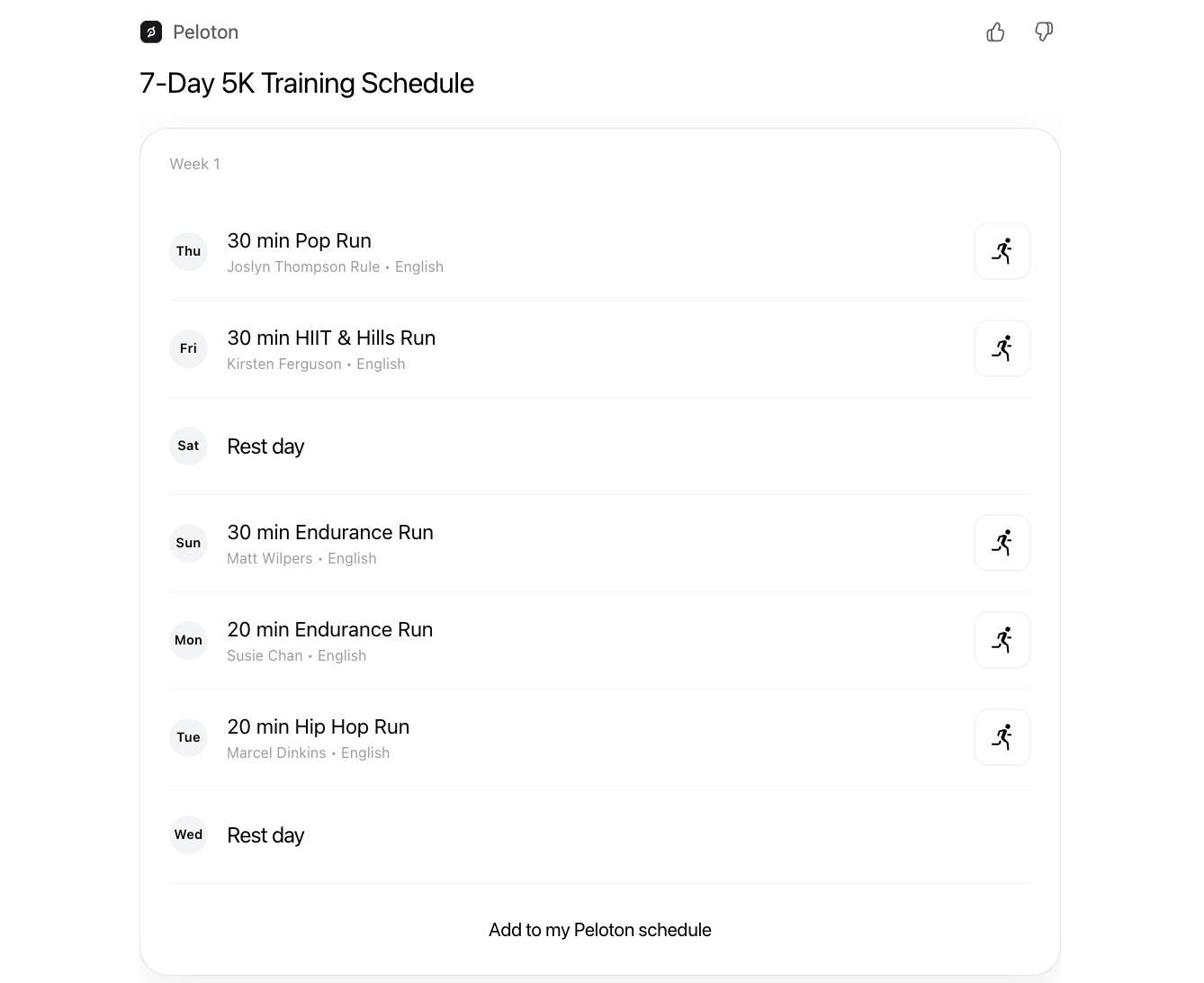
Peloton's ChatGPT App lets you browse classes and generate a personalized weekly workout plan, no login required:
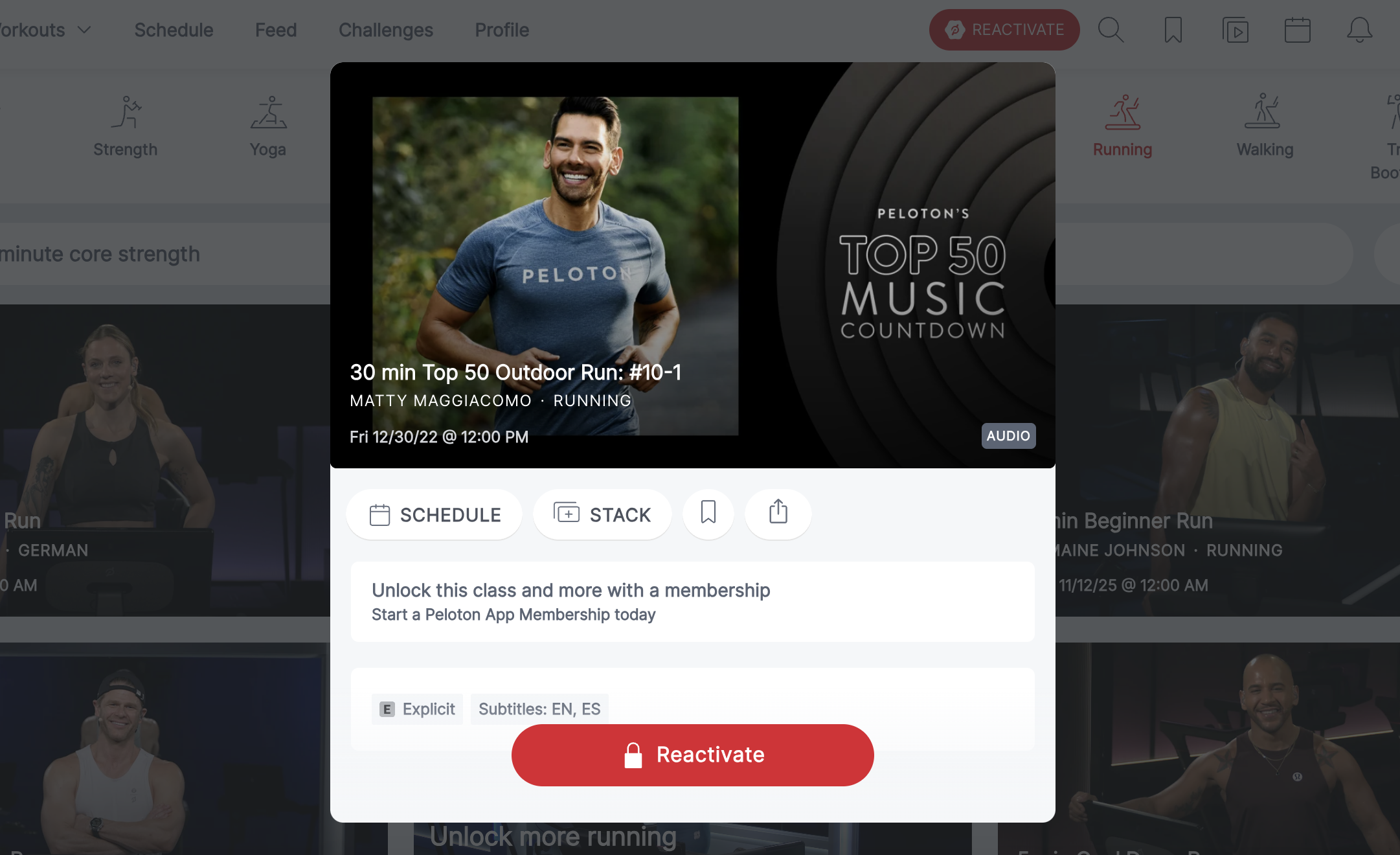
Click into a class, and you'll be prompted to reactivate your membership to join:
You can also add classes to your schedule after logging in, but you'll need an active membership to attend, and are prompted to reactivate:
A Peloton engineer explained that the company intentionally chose to build tools focused on prospective users and top-of-funnel discovery. This allows them to surface Peloton's offerings to new audiences while proteecting privacy around member analytics -- although, those features are likely to be part of the next iteration.
2. Figma: Generate a Flowchart, Join to Edit
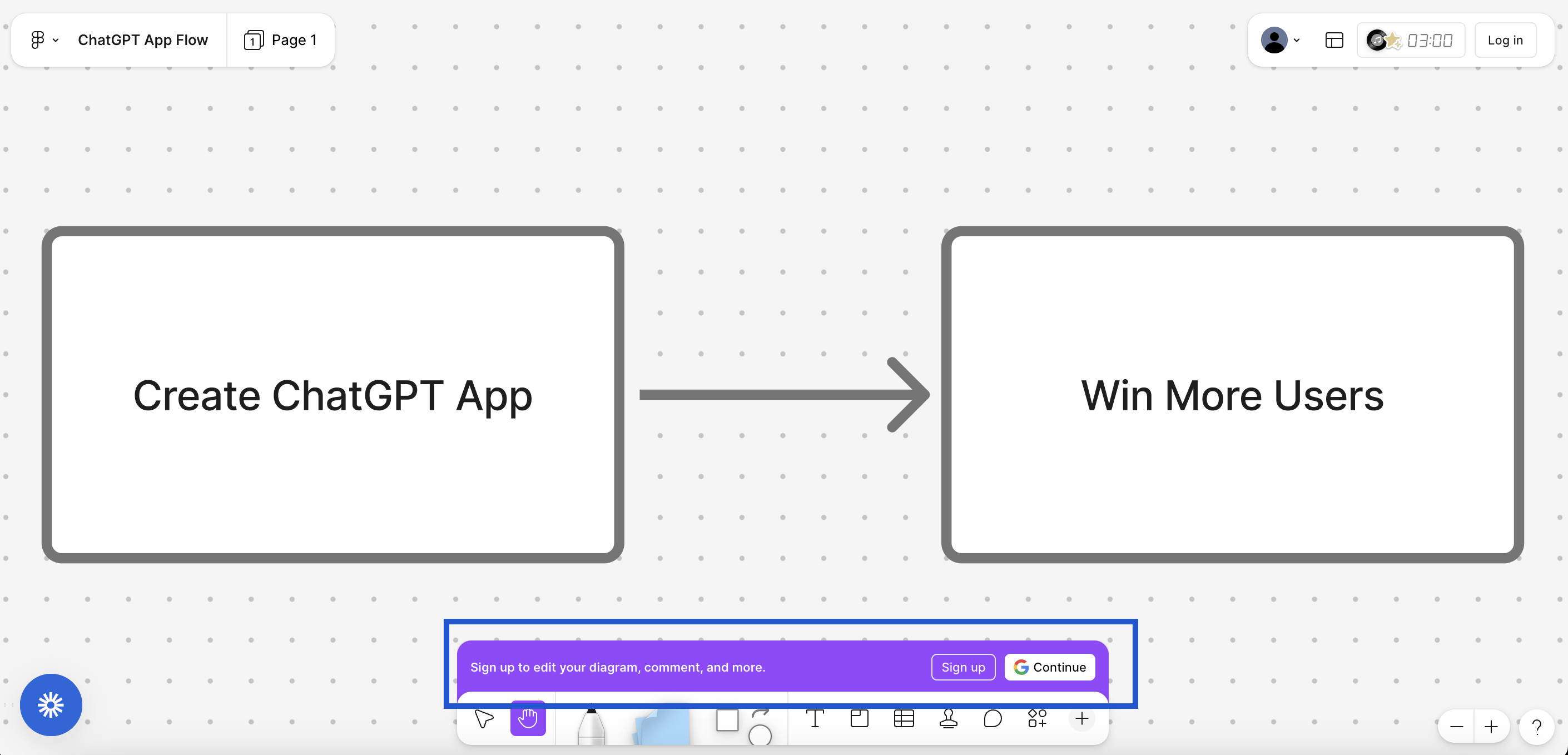
Figma's OpenAI App focuses on flowcharts through FigJam. You can generate a draft diagram in ChatGPT, then click through to open it in Figma:

Once inside, editing requires a login. This is a simple but effective conversion strategy, providing users with a clear window into the value they get from creating an account or sharing their info:
3. Coursera: Watch the Course Intro, Enroll to Keep Going
Coursera’s App lets users explore video-based courses and preview content directly within ChatGPT.
It’s one of the most polished and full-featured early integrations: you can view videos in full screen, read descriptions, explore related courses, and even ask questions in chat while the video 'floats' above the text.
Each course is limited to a single video preview, with clear prompts to visit Coursera and enroll for full access:
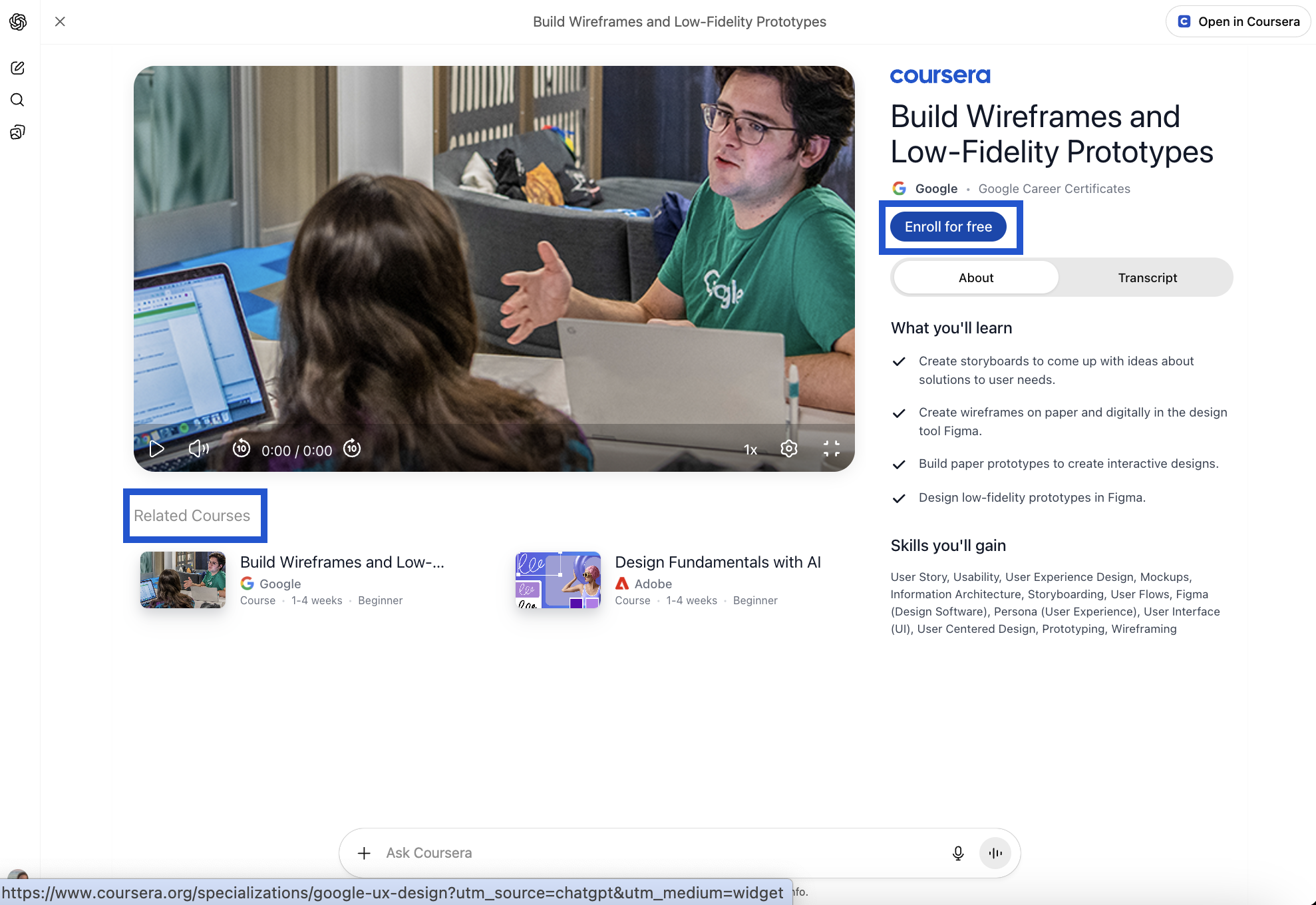
Coursera's inclusion of related content is also unique among early apps, but effective. This will also likely provide helpful feedback for their team to help tailor which suggestions are surfaced to users within ChatGPT.
Tracking UTMs
As with any top-of-funnel digital marketing iniative, a comprehensive approach uses tracking mechanisms like UTMs to help attribute conversions.
For example, Coursera attaches utm_source=chatgpt&utm_medium=widget to all its links to help understand which enrollments are driven by their app (aka, widget) rather than just by ChatGPT search.
Takeaways for OpenAI App Creators
If you’re building a ChatGPT App to attract new users without cannibalizing your core product, these examples of Peloton, Figma, and Coursera highlight a clear playbook:
- Deliver real value upfront. Give users something useful on first contact—like a generated plan, preview, or file—without requiring login or payment.
- Create a clear path to deepen engagement. Make the next step (e.g. signing up, editing, enrolling, or subscribing) the natural continuation of the experience.
- Design with boundaries in mind. Be explicit about what’s free to explore versus what’s gated, and use those edges to guide users toward conversion.
- Protect your data advantage. Treat ChatGPT as an acquisition layer, not a data sink. Share what enhances discovery while keeping proprietary or user-level data private.
- Instrument and learn. Use link tracking, login prompts, and in-app analytics to understand where users convert and what drives them to your platform.